
OPT FOR SPEED.

Clean, optimize, tune and fix Windows from one place.

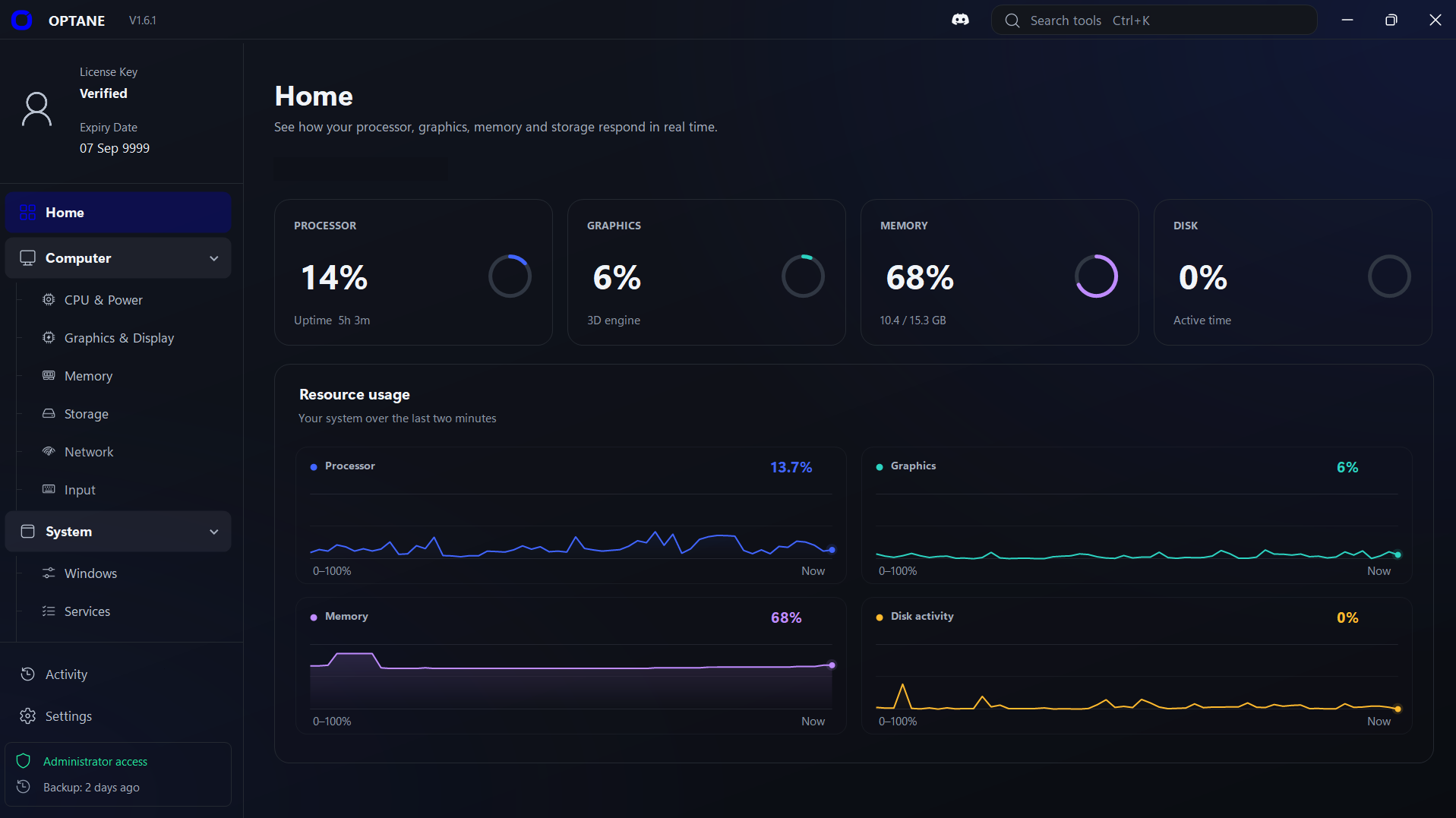
Inside OPTANE HomeResource usage
The OPTANE app on its Home page: processor, graphics, memory and disk usage, with resource charts for the last two minutes. Device name hidden.

What OPTANE does

01 Clean

Clean out the junk

Find temporary files, old crash reports and other leftovers, then remove them in a few clicks. You can also uninstall the built-in Windows apps you never use.

  • See how much space each item takes
  • Choose what goes before anything is deleted
  • Remove apps like Phone Link or Get Help

How much space you get back depends on your PC.
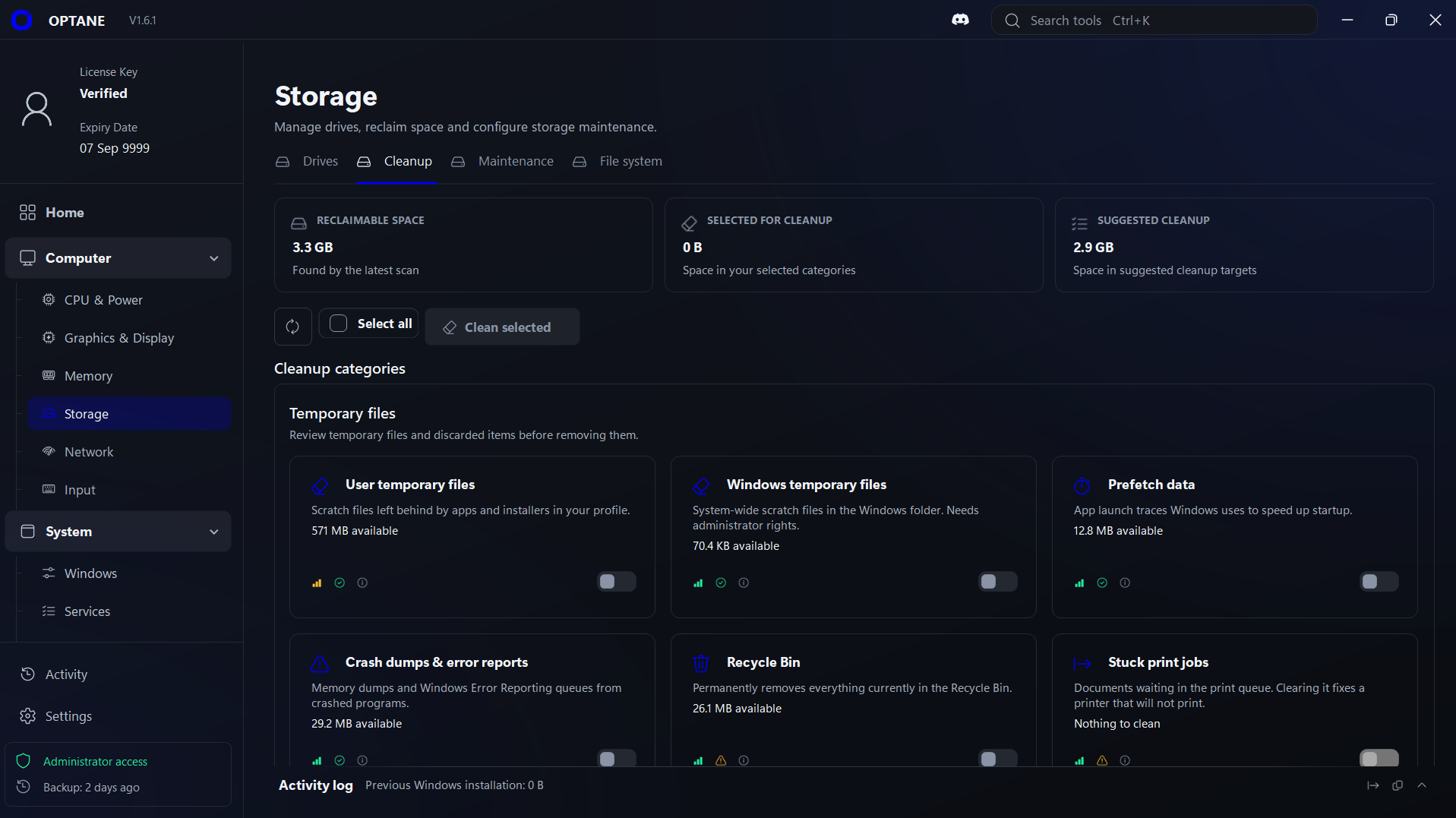
In OPTANE StorageCleanup
OPTANE Storage, Cleanup tab: 3.3 GB of reclaimable space found, cleanup categories such as user and Windows temporary files, nothing selected yet.
0MAX

02 Optimize

Switch to a faster power mode

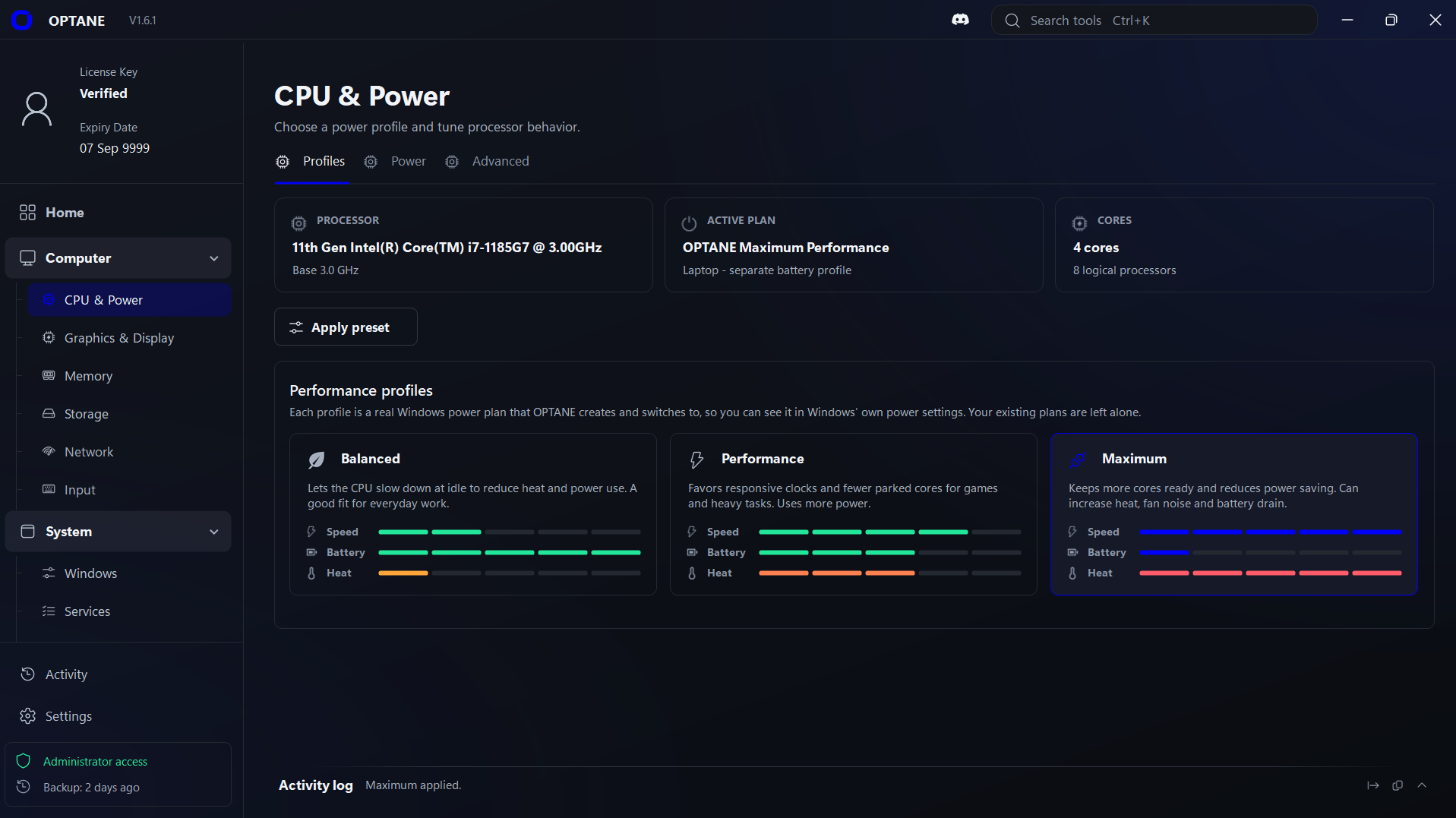
Pick Balanced, Performance or Maximum. Each one is a real Windows power plan, and your own plans are left alone.

  • Balanced for everyday use
  • Performance for games and heavy apps
  • Maximum keeps more CPU cores ready

Maximum uses more power and can make your PC run hotter.

In OPTANE CPU & PowerProfiles
OPTANE CPU & Power, Profiles tab: Balanced, Performance and Maximum profiles, with Maximum selected and OPTANE Maximum Performance as the active plan.
010203

03 Tune

Fine-tune your PC

Change game, graphics and processor settings that Windows keeps hidden. Every setting comes with a short explanation.

  • Game Mode, Game Bar and background recording
  • Graphics options like GPU scheduling
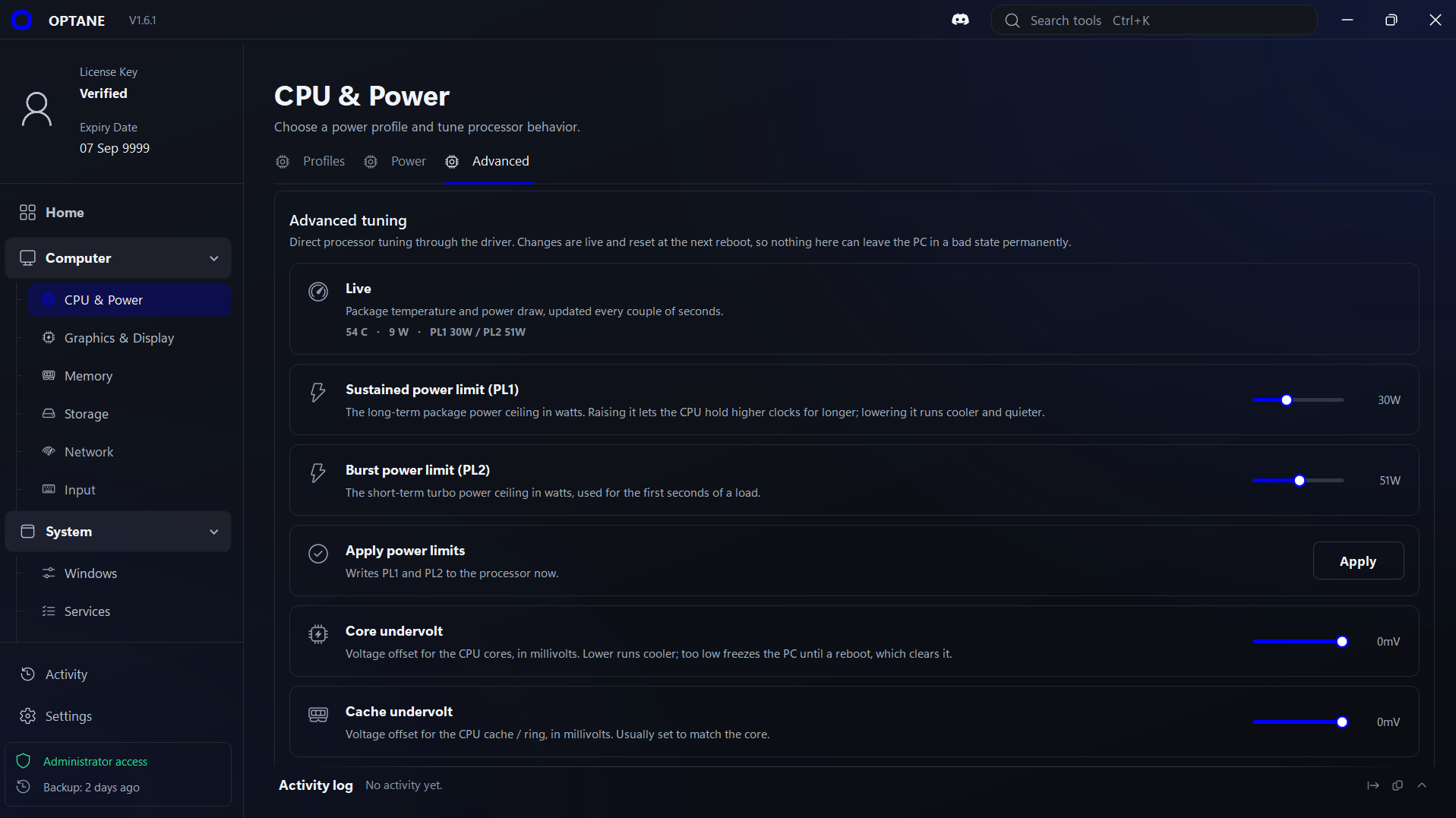
  • CPU power limits and undervolting

CPU power limits and undervolting need a supported Intel processor.

In OPTANE CPU & PowerAdvanced
OPTANE CPU & Power, Advanced tab: live processor temperature and power, with sliders for power limits and undervolting.

04 Fix

Fix common Windows problems

Repair broken system files, get Windows Update working again and more. Each fix is one click, and nothing runs until you choose it.

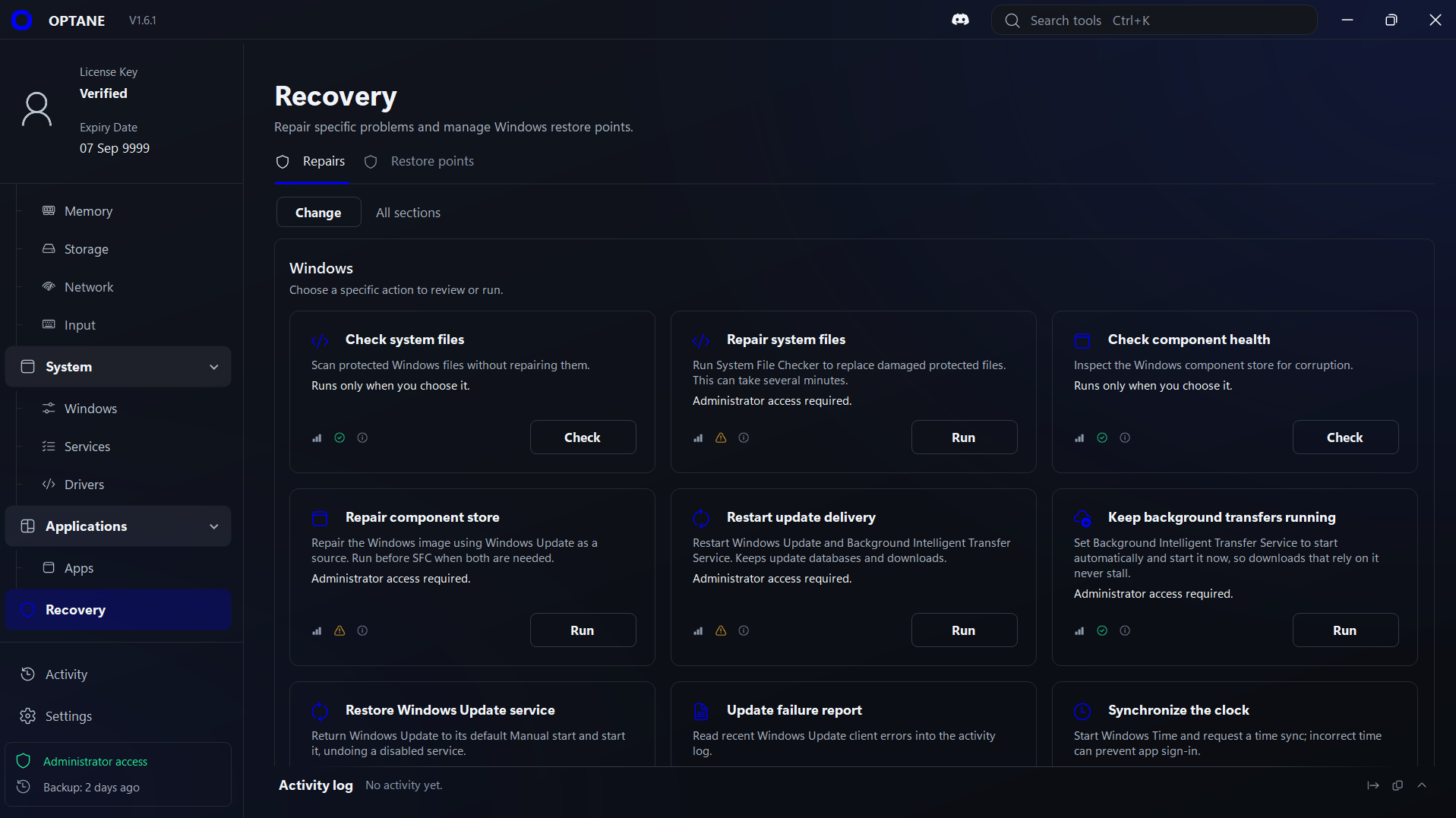
  • Check and repair system files
  • Restart Windows Update
  • Save a restore point before you change things

Some problems need more than a repair tool.

In OPTANE RecoveryRepairs
OPTANE Recovery, Repairs tab: one-click Windows repairs such as Check system files, Repair system files and Restart update delivery.

Monitor

See what your PC is doing.

The Home screen shows your processor, graphics, memory and disk use, live.

2 MINNOW

Privacy

Turn off Windows ads and data sharing.

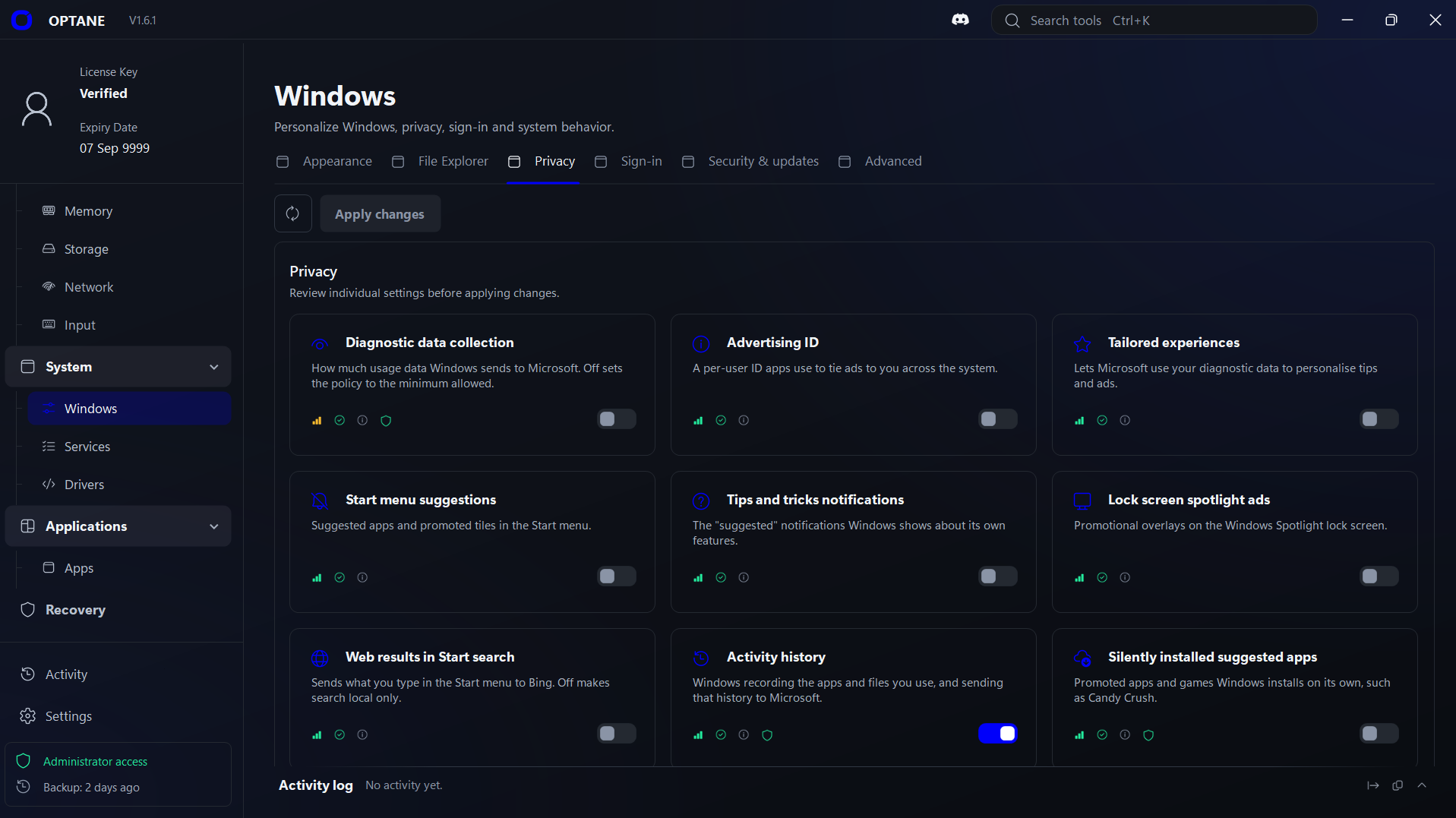
Switch off the advertising ID, Start menu ads, lock screen ads and activity history. Each setting is explained, so you always know what you're changing.

  • Send less usage data to Microsoft
  • Stop suggested apps from installing themselves
  • Keep your Start menu search on your PC

These are Windows settings. Some depend on your Windows edition.

In OPTANE WindowsPrivacy
OPTANE Windows page, Privacy tab: switches for diagnostic data, advertising ID, tailored experiences, Start menu suggestions, tips, lock screen ads, web results in Start search, activity history and silently installed apps.

All in one app

All your Windows tools in one app.

Windows spreads its settings across Settings, Control Panel, Task Manager and more. OPTANE puts them in one place.

  • Power Options in Windows: CPU & Power in OPTANE.
  • Disk Cleanup in Windows: Storage in OPTANE.
  • Task Manager in Windows: Apps in OPTANE.
  • Startup apps in Windows: Startup in OPTANE.
  • Services in Windows: Services in OPTANE.
  • Device Manager in Windows: Drivers in OPTANE.
  • Privacy & security in Windows: Privacy in OPTANE.
  • Game Mode in Windows: Gaming in OPTANE.
  • Network Connections in Windows: Network in OPTANE.
  • Mouse settings in Windows: Input in OPTANE.
  • System Restore in Windows: Restore points in OPTANE.
  • Command Prompt in Windows: Repairs in OPTANE.

Safe to use

You stay in control.

OPTANE never changes anything behind your back. You can always see what it did, and go back.

  • Nothing runs until you click

    OPTANE doesn't change anything on its own. Every clean, tweak and fix starts with your click.

  • Every setting is explained

    Each switch says what it does in plain words, so you know what you're changing before you change it.

  • A restore point first

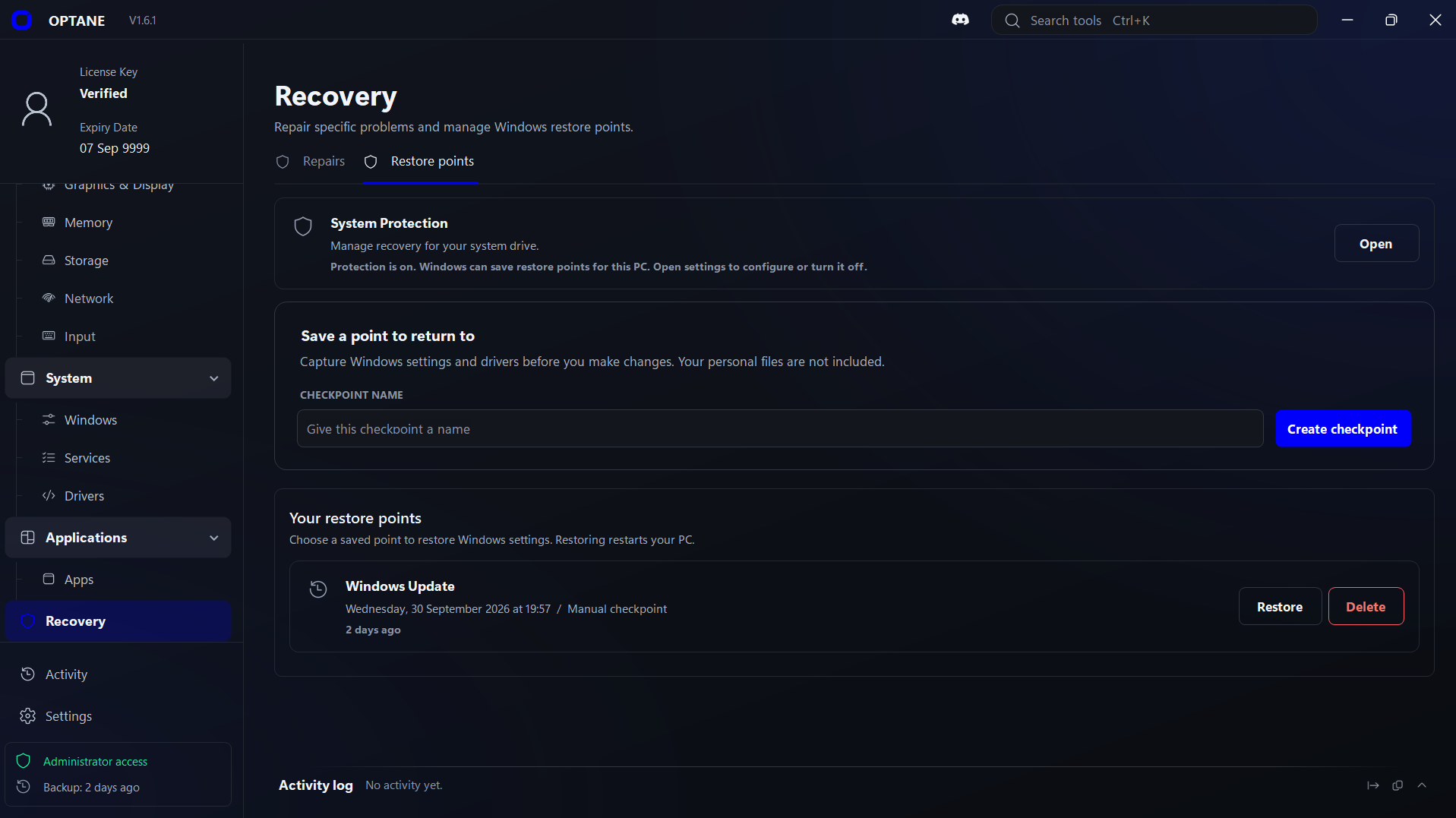
    The first time you open OPTANE, it offers to save a Windows restore point. You can save more whenever you like.

  • See what it did

    The Activity log lists what OPTANE has done since you opened it, including anything that didn't work.

In OPTANE RecoveryRestore points
OPTANE Recovery page, Restore points tab: System Protection is on, a box to name and create a checkpoint, and a list of saved restore points with Restore and Delete buttons.

Recommended

Custom Emulator

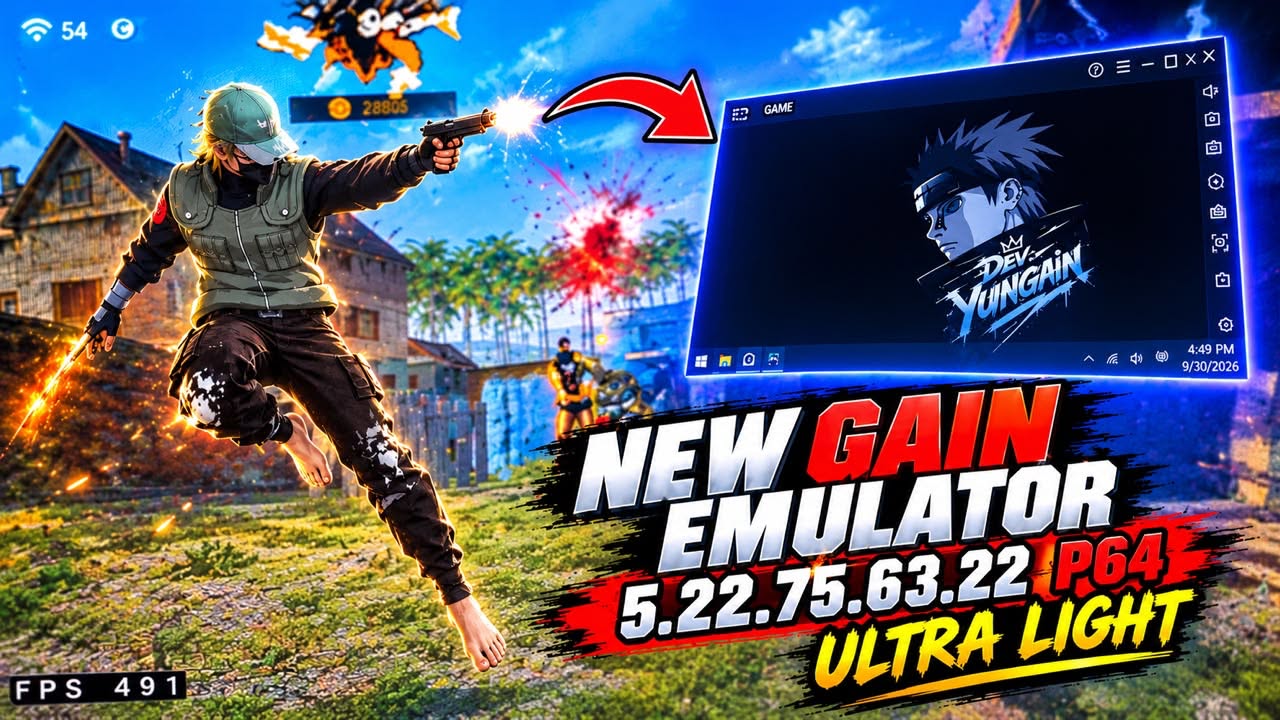
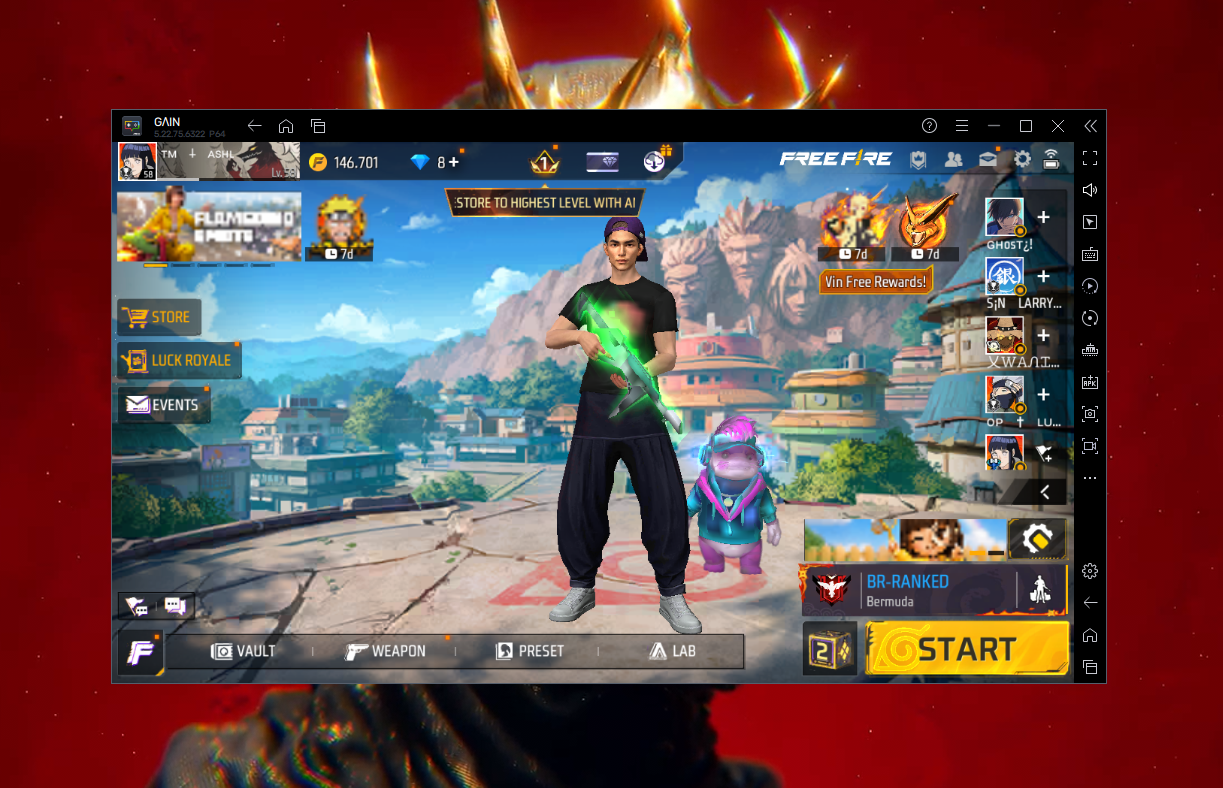
A Bluestacks based custom emulator built to fix FPS drops and stuttering in mobile games on PC.

$10 USD · We’ll send it to your email shortly after payment.

Buy Custom Emulator
Custom Emulator
Custom Emulator screenshot 1
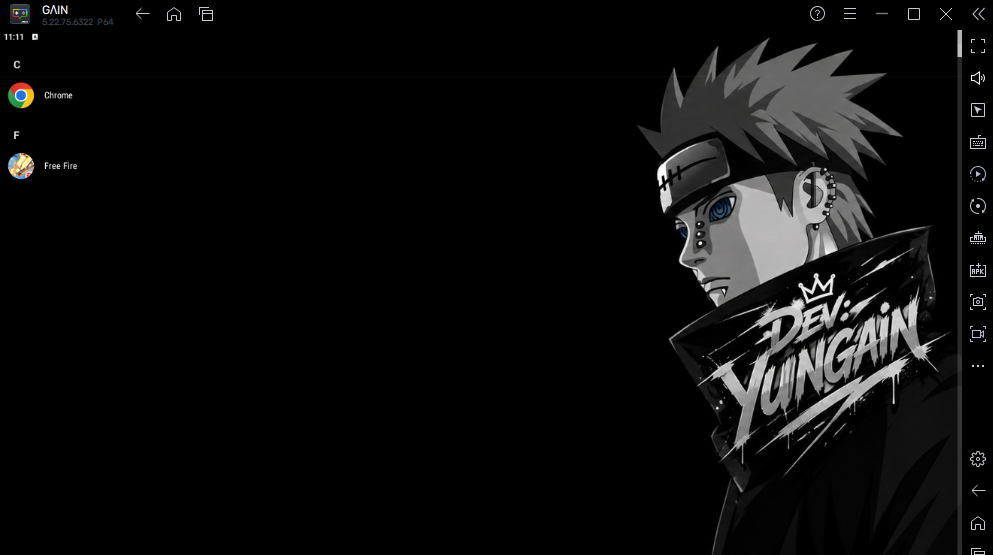
Custom Emulator screenshot 2

READY TOOPT FOR SPEED?

Clean, optimize, tune and fix Windows from one place.

How to get started
OPTANE

Download OPTANE

The Windows download will be available at release. You can preorder Lifetime access on the pricing page.